Features
Everything Tallypath does, and what is still coming
Tallypath is one application with four tabs and a set of records underneath them. This page is the full inventory — including the capabilities that are still in development, which are labelled as such.
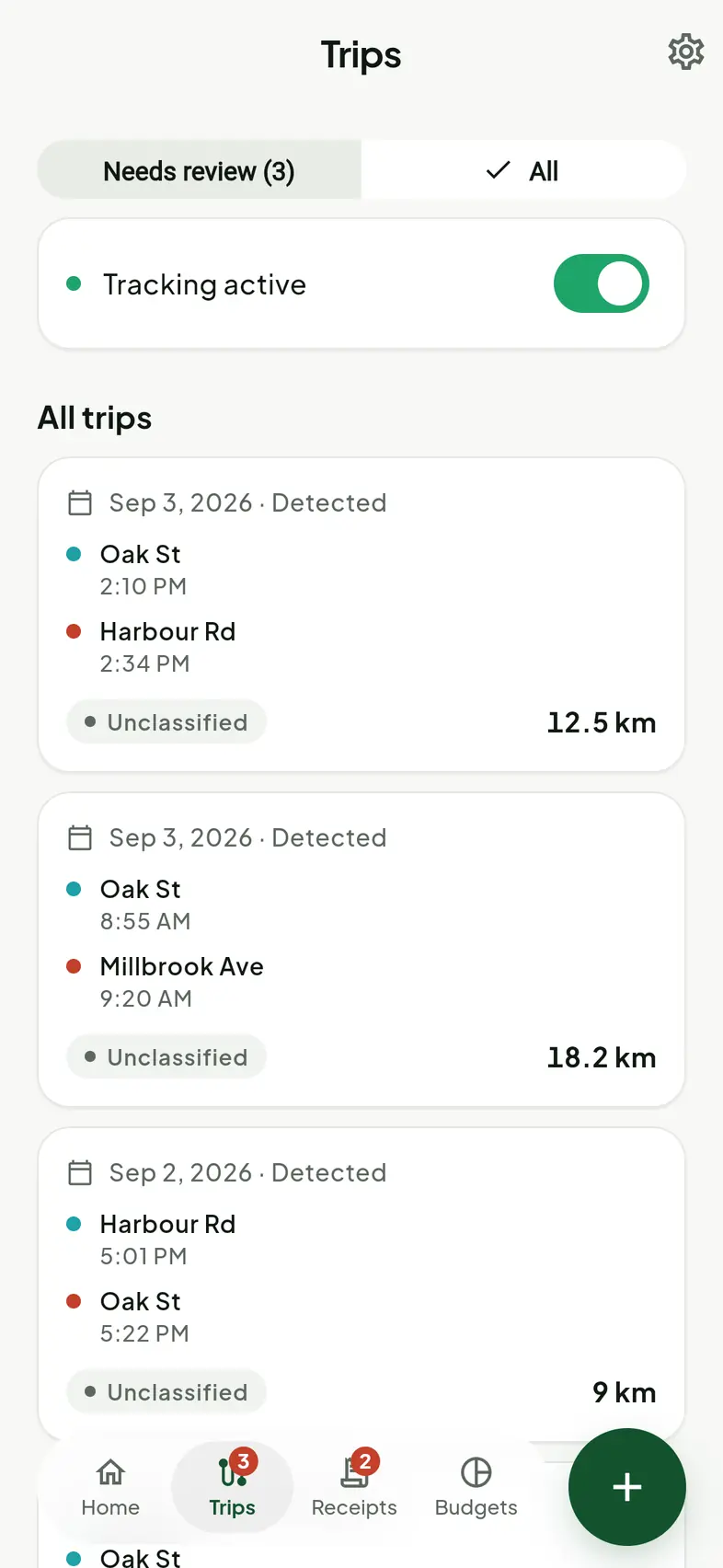
Mileage
Trips that record themselves
Your phone notices a drive beginning, records it in the background, and presents a finished trip for you to classify. Nothing to start, nothing to remember, and a manual entry path for the drives that slip through.
Background detection
Motion sensors decide when to wake up, so GPS is not held open all day.
One-tap classification
Business or personal, with a purpose you can note against the trip.
Editable records
Every trip can be corrected, split or deleted. A log you cannot fix is worse than none.
Kilometres or miles
Per vehicle, matched to where you work, with no settings to hunt for.
Business-use percentage
Kept current through the year rather than reconstructed at the end of it.
Route privacy
A recorded route lives on its trip screen. Delete it and the distance survives.
Receipts and expensesComing soon
Receipts that stop being paper
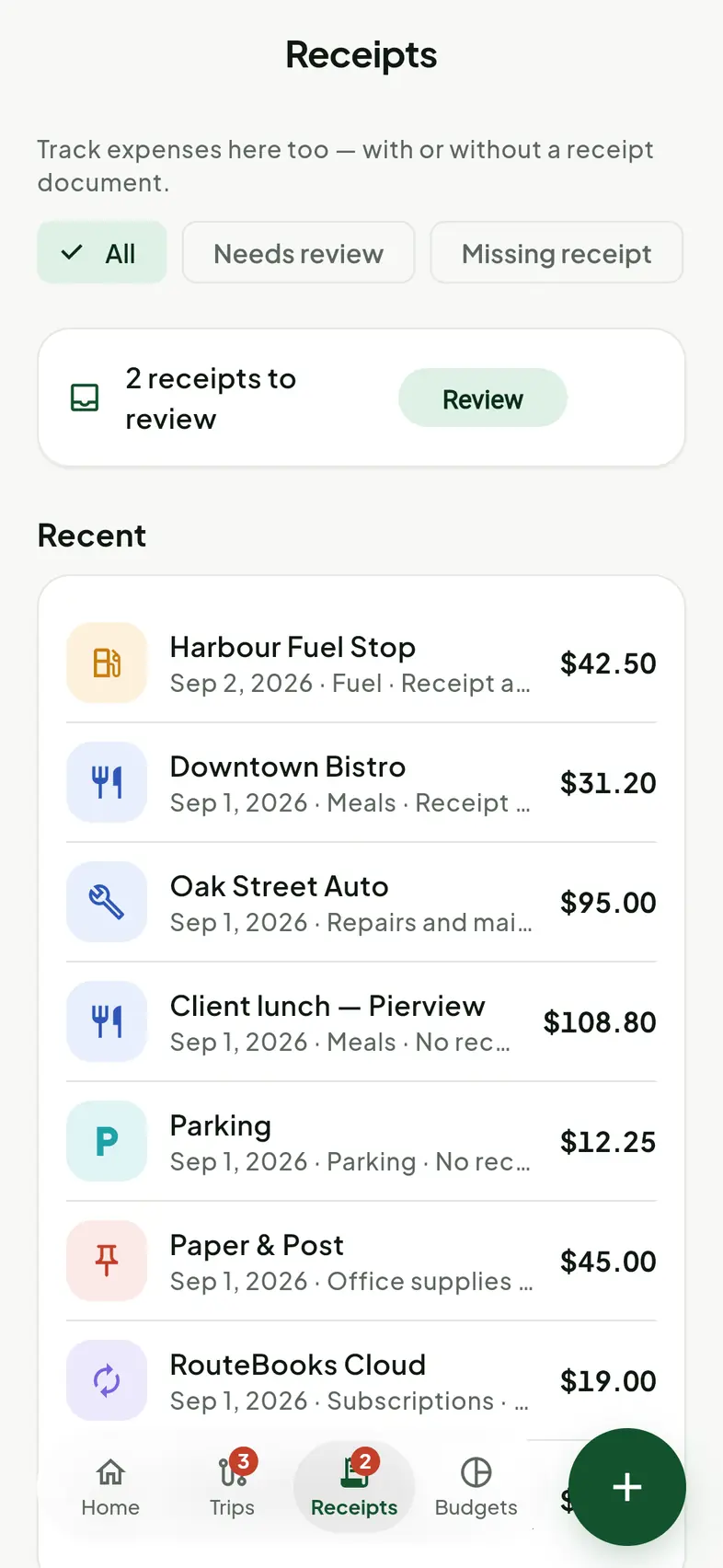
Photograph a receipt and Tallypath helps organise what is on it into a clean digital record — with the original image kept alongside, never instead. A receipt can also exist on its own, before you know what expense it belongs to.
Camera capture
Photograph a receipt where you are standing, or attach an image you already have.
Organised fields
Merchant, date, subtotal, tax, total and category, each held separately.
Original retained
The photograph stays attached to the record for as long as the record exists.
Correct anything
Every field is reviewed by you before it is saved. Nothing is filed behind your back.
Expenses without receipts
Not every cost has paper. Record it anyway and mark it as missing a receipt.
Batch capture
On Pro+, photograph up to five receipts in one pass instead of one at a time.
MatchComing soon
Receipts, lined up against your transactions
Import financial transactions and Match pairs them with the receipts you have already captured, so the gaps are obvious: which charges have paperwork behind them, and which do not. Every pairing is yours to confirm or reject.
Import transactions
Bring in financial transactions where your institution is supported.
Suggested pairings
Tallypath proposes a match; you decide whether it is right.
Completeness at a glance
See the charges still missing a receipt, per period and per category.
Premium capability
Available on Pro and Pro+. Still in development ahead of launch.
Reports and budgets
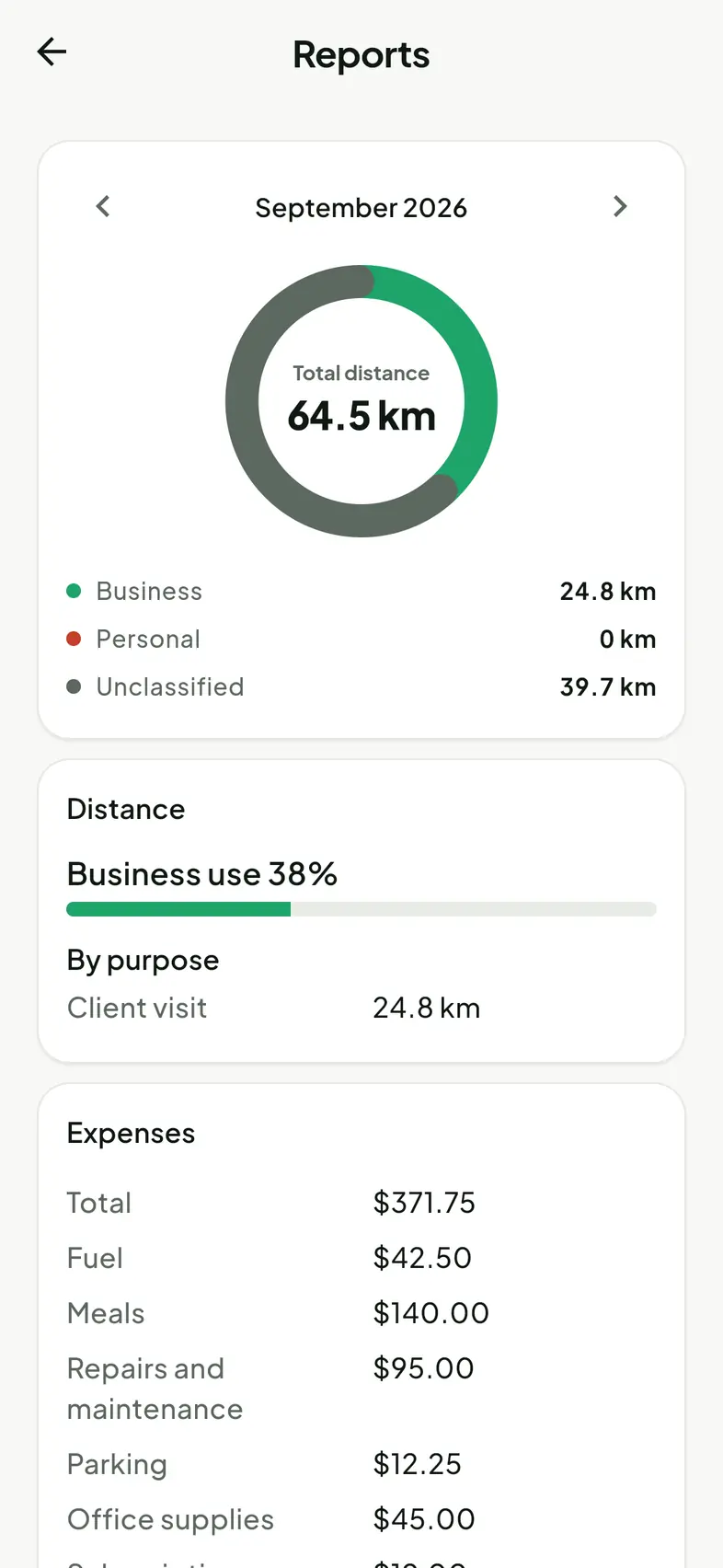
The year, totalled up as you go
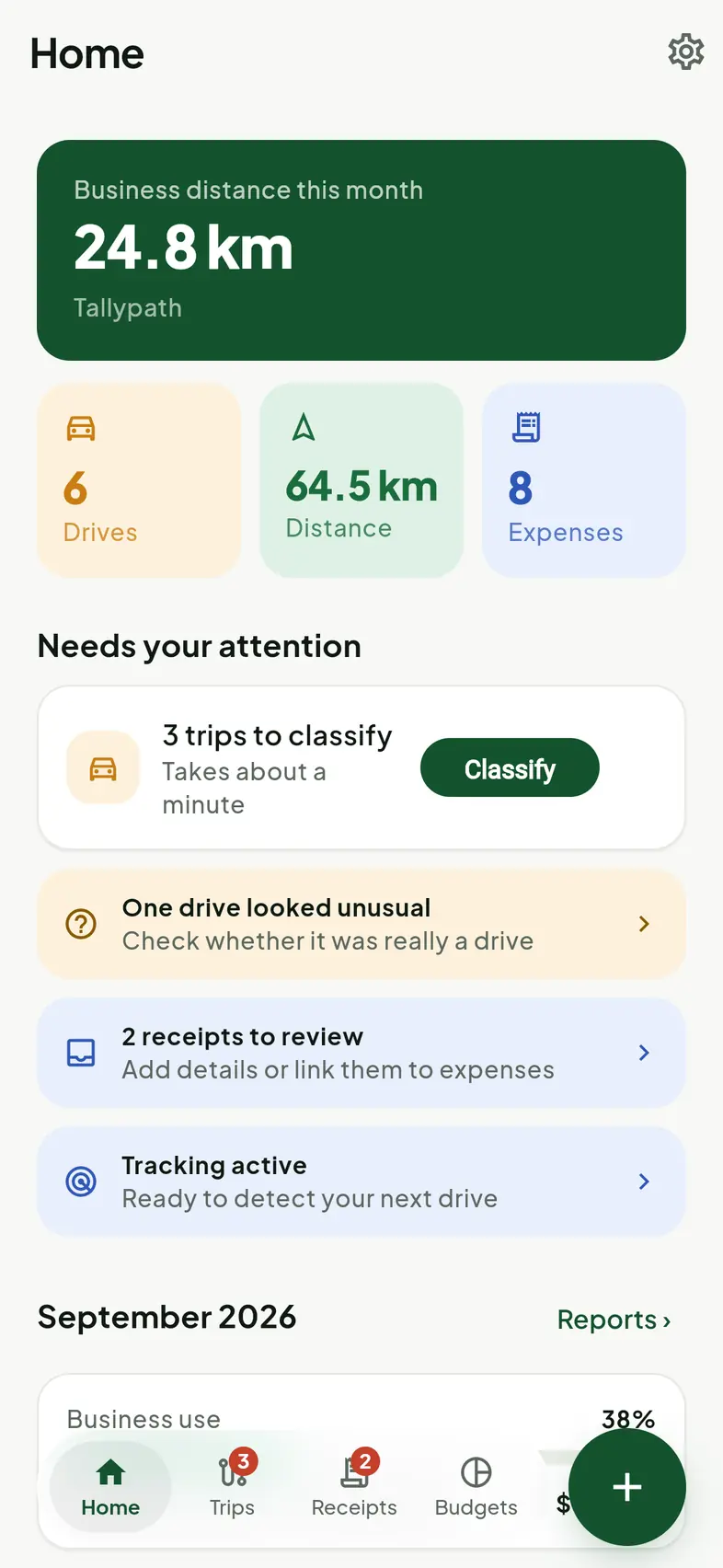
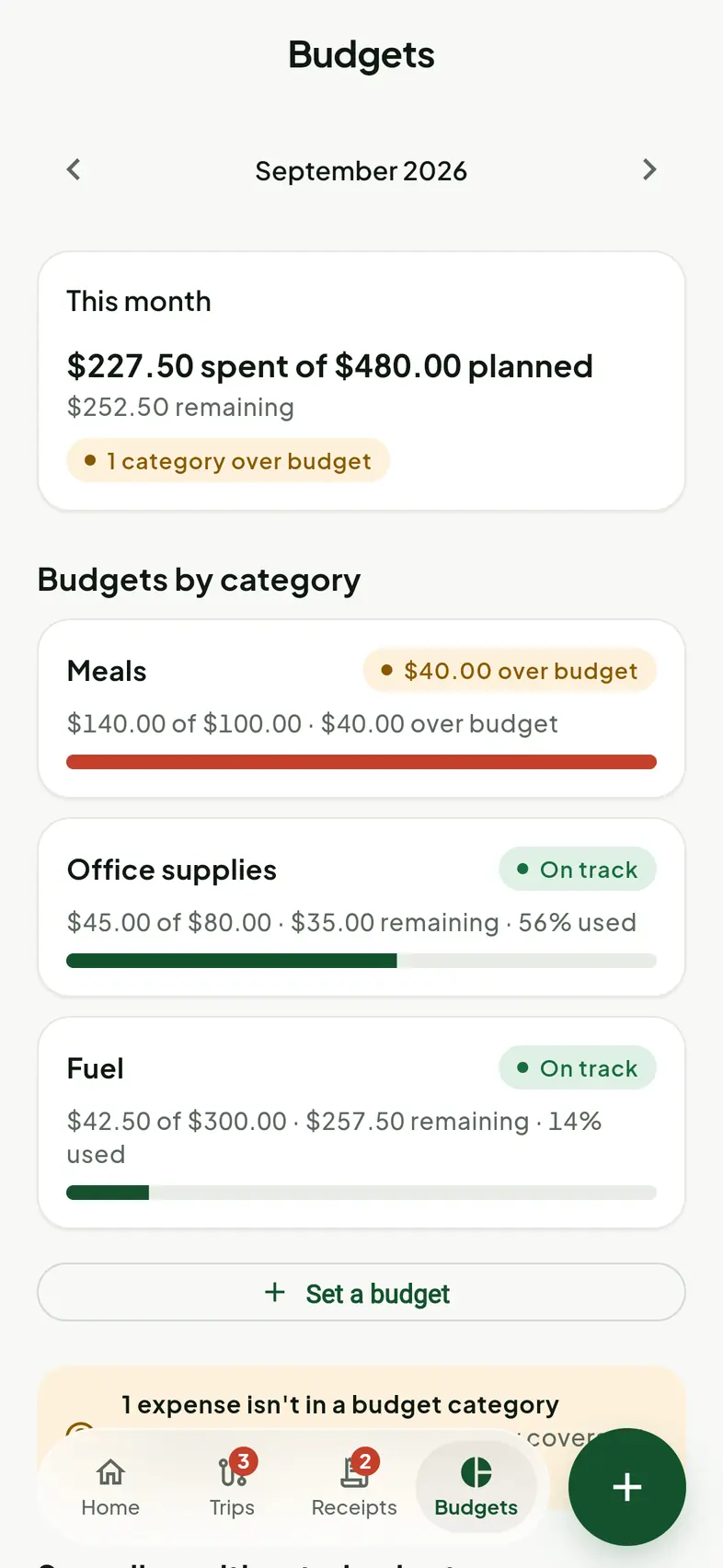
Distance, business-use percentage and spending by category, current at all times rather than assembled in a panic. Export it as ordinary files that open in a spreadsheet and can be handed to a bookkeeper without conversion.
Period reports
A month, a quarter or a year, filtered by vehicle or category.
Budgets by category
Planned against actual, stated calmly. Over budget is information, not a telling-off.
Exports you own
Comma-separated data and the original receipt images. No export fee, ever.
Accountant-ready
Files a bookkeeper can reconcile without asking you to re-send anything.
Tallypath AIComing soon
Ask your own records a question
An optional add-on for Pro and Pro+ subscribers. Ask in plain language and Tallypath AI answers from your records, then shows you exactly which trips and expenses it counted so you can check the arithmetic yourself.
Plain-language search
"How much did I spend on fuel last month?" — asked the way you would ask a person.
Traceable answers
Every figure links back to the records it came from. Nothing is asserted without a source.
Receipt assistance
Help while reviewing and correcting what was read from a captured receipt.
Optional, always
An enhancement on top of a plan, not a condition of using one.
What is not here
Tallypath does not file your taxes, does not tell you what you may claim, and does not replace an accountant. It organises records and does arithmetic on them, accurately and visibly, and leaves the judgement to the person qualified to make it.
Get Tallypath
Your money has a path.
Launching soon on iPhone and Android, in Canada and the United States. Two minutes to set up, then it mostly gets on with it.
Not yet available on the App Store or Google Play. Store links will appear here at release.
Tallypath is developed and operated by DMO Software Solutions Inc.